Learn PixelCRM, one screen at a time.
Pick your CRM, then work down from the top to get set up and dip into any task as you need it. Every page has pictures of the real screens.
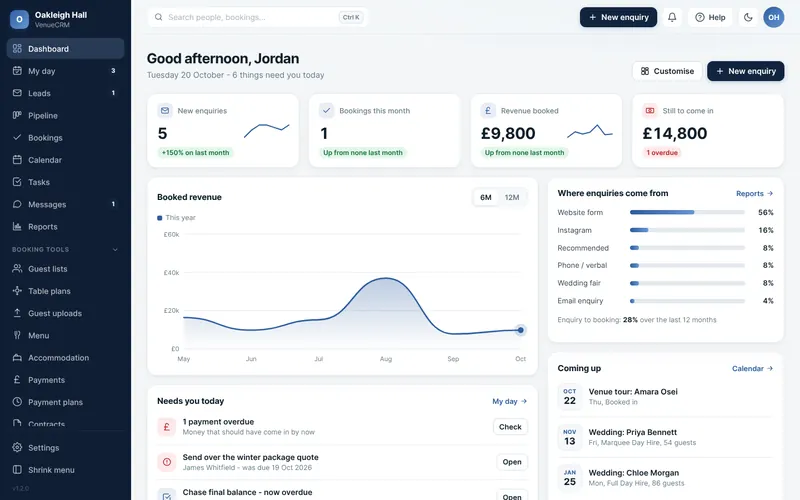

Getting started
Logging in, finding your way round, and the screens you will use first thing every day.
Make it yours
Your business details, logo, colour, email, team and what each person can see. Do these first and everything that goes out looks like you.
Set up how you work
Shape it around how you work: venues, pipeline stages, your own fields, website forms, spam protection and email templates.
Day to day
The everyday jobs: adding enquiries, moving them through the pipeline, venue tours, tasks and your calendar.
Contracts and payments
Send contracts to sign online, set up payment schedules and keep track of what has been paid.
Your couples and their day
The couple portal, guest lists, RSVPs, table plans, menus and rooms, all in one place for each wedding.
Connections
Companies and their contacts, plus connecting PixelCRM to the other tools you use.
Reports and your data
See how the business is doing, take your data out whenever you want it and bring changes back in.
Getting started
Logging in, finding your way round, and the screens you will use first thing every day.
Make it yours
Your business details, logo, colour, email, team and what each person can see. Do these first and everything that goes out looks like you.
Set up how you work
Shape it around how you work: categories, pipeline stages, your own fields, website forms, spam protection and email templates.
Day to day
The everyday jobs: adding leads, moving them through the pipeline, site visits, tasks and your calendar.
Companies and connections
Companies and their contacts, plus connecting PixelCRM to the other tools you use.
Reports and your data
See how the business is doing, take your data out whenever you want it and bring changes back in.