 Full size
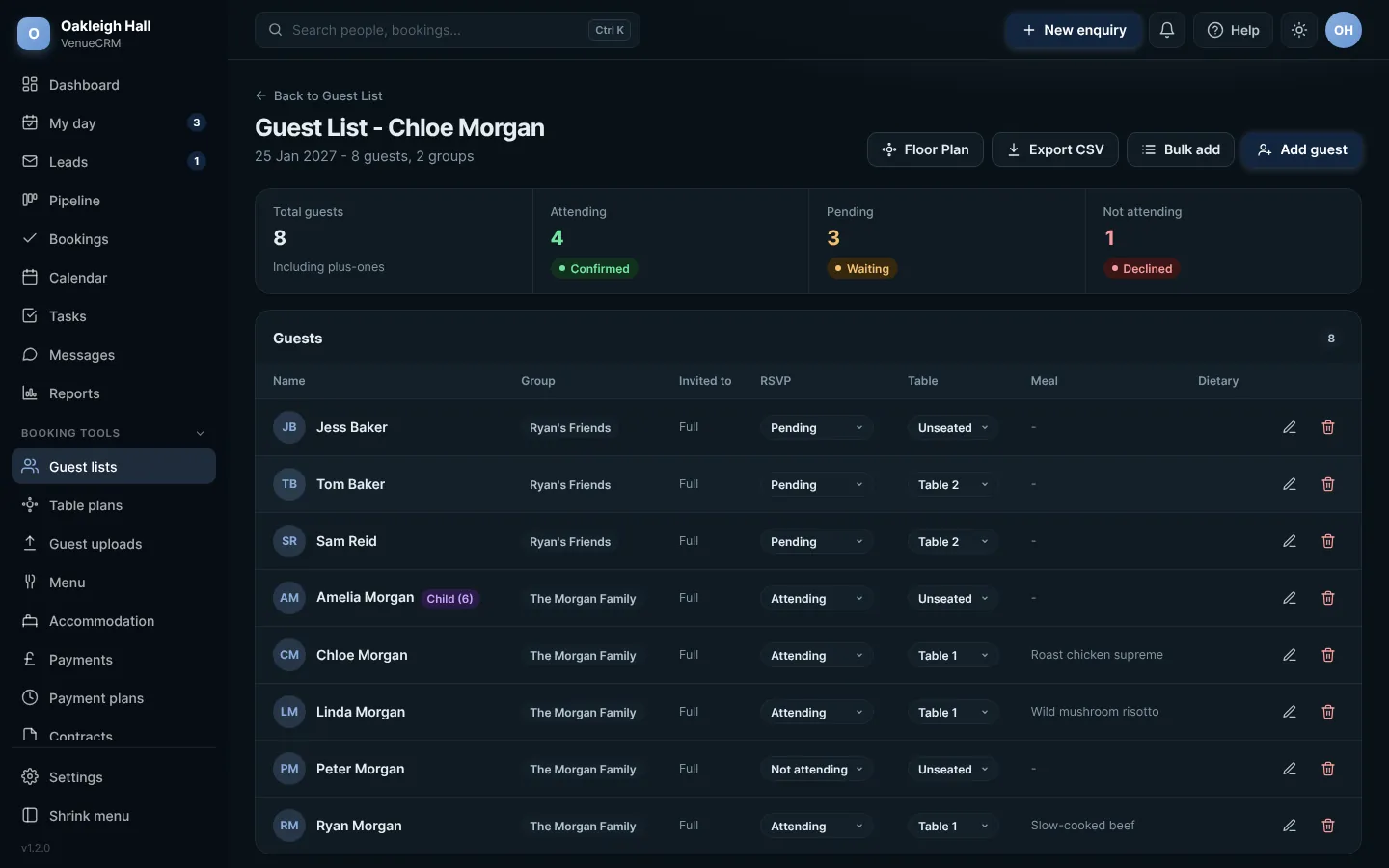
The guest list in the couple's portal. Click any picture to see it full size.
- Add guests one at a time, or paste a whole list with Bulk add.
- Put guests in groups, such as a family. The group's lead replies for everyone in it.
- Press Send RSVP invites. Each guest or group gets a link to reply, choose their meal and note any allergies.
For each guest you can mark a child (with their age) and seat needs such as wheelchair access or a high chair. These travel with the guest to the table plan and the PDFs.
 Full size
The same guest list in your admin
From the admin you can also export the guest list, or a meal summary for the kitchen.
Try this in the playgroundYour own private copy of Venue CRM, with sample data. Nothing you do is kept.
Open the playground